
Connection Strings: HTTP/S
HTTP/S connections authenticate DataZen to SaaS platforms, cloud APIs, and other Web services. Configure the connection once, then reuse it across jobs that call the same endpoint.
The HTTP Endpoint URI (Connection URL) is always the base URL for the HTTP API, regardless of
the authentication mode you select. Downstream HTTP calls append relative paths to this base URL. Avoid a
trailing / on the URI when possible; that usually makes relative paths easier to configure on
job screens.
Cloud vs Self-Hosted Options
You can manage HTTP/S connections in the Web Portal (cloud agents) or in DataZen Manager (self-hosted and cloud agents). Most authentication modes are available in both environments, but a few options differ:
| Capability | Cloud Agent | Self-Hosted Agent |
|---|---|---|
| None, API Key, Basic, Bearer, Token | Supported | Supported |
| Session/Custom | Supported | Supported |
| JWT token builder (Session/Custom) | Not available | Supported |
| Windows Credentials | Not available | Supported |
| OAuth wizard (Bearer), including refresh tokens when supported | Supported (Portal and Manager) | Supported (Manager) |
| Rate limiting, connection-scoped X.509 client certificate | Supported | Supported |
| AI Endpoint (for Portal AI Chat) | Supported | Supported |
| Custom Headers | Supported (line-based key: value editor) | Supported (Add/Update dialog in Manager) |
Screenshots in the authentication sections below show DataZen Manager unless labeled as Web Portal.
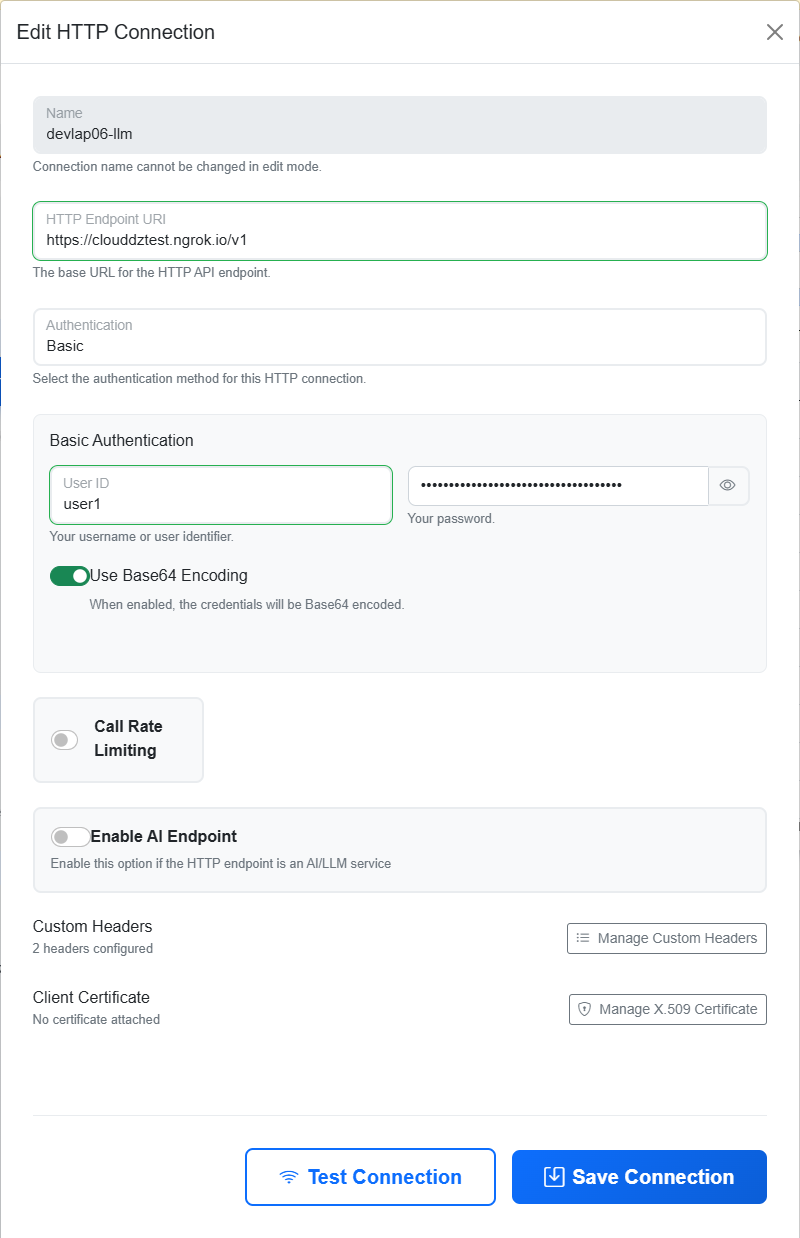
No Authentication
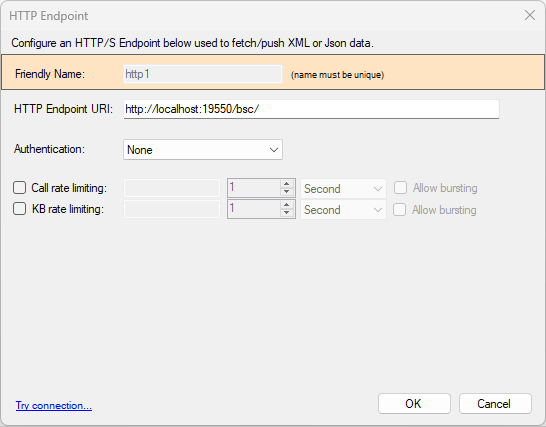
Choose None when the HTTP/S service does not require credentials. Enter the base service URI only. This URI is still used as the base URL for later HTTP calls.
API Key Authentication
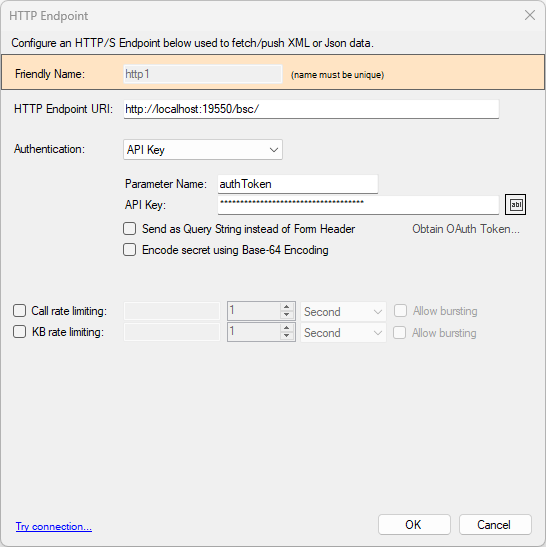
Choose API Key when the service expects a named key and secret. Provide the parameter name and the secret value. By default, DataZen sends the API key as an HTTP header. Select Send as Query String... only when the service requires the key as a query parameter.
If the secret must be Base64-encoded before it is sent, enable Encode Secret... / Use Base64 Encoding. See Base64 Encoding for how this option interacts with authentication schemes.
Example: ActiveCampaign
- URI:
https://COMPANYNAME.api-us1.com/api/3 - Authentication: API Key
- Parameter: Api-Token
- API Key: secret provided by ActiveCampaign
Basic Authentication
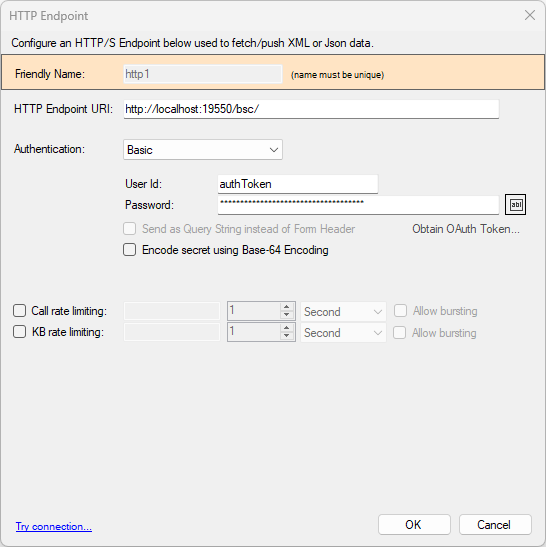
Choose Basic when the service expects a user ID and password. DataZen sends credentials using the standard Authorization HTTP header for Basic authentication.
Enable Encode Secret... / Use Base64 Encoding when the password (or secret) must be Base64-encoded before the Basic Auth header is built. Basic authentication then applies its own credential encoding as required by the HTTP scheme. See Base64 Encoding.
Example: Twilio
- URI:
https://api.twilio.com - Authentication: Basic
- User Id: your Twilio Account SID
- Password: secret provided by Twilio
- Base64 Encoding: Yes
Token Authentication
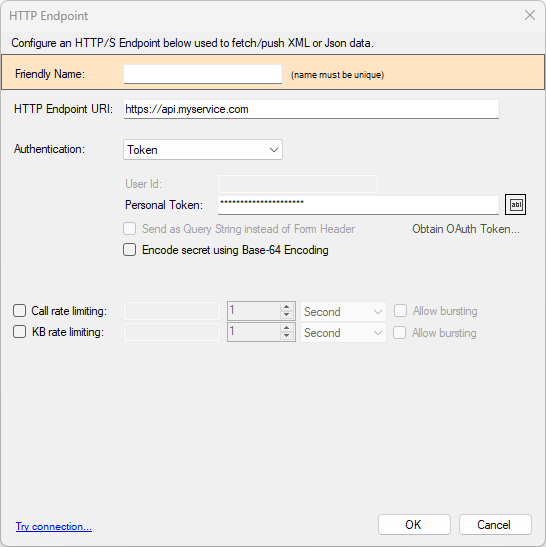
Choose Token when the service expects a token value sent with the Authorization HTTP header using the Token authentication scheme. Provide the token value. Optionally enable Base64 encoding of the secret first when the service requires it.
Token and Bearer are different authentication schemes. Use Token when the service documents Token auth; use Bearer when it expects a Bearer token or OAuth access token.
Bearer Authentication
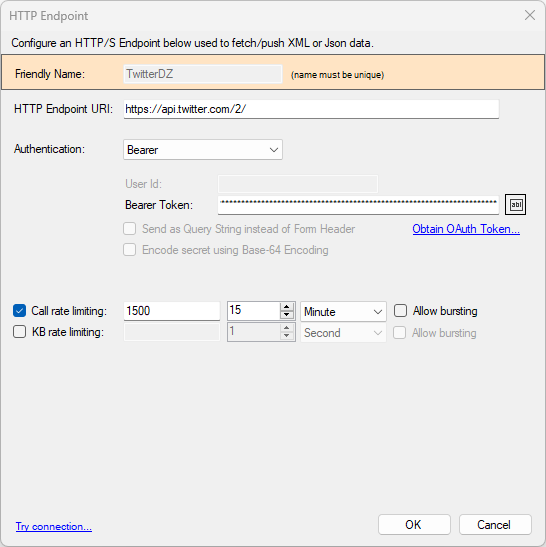
Choose Bearer when the service expects a Bearer token in the Authorization header. You can paste a long-lived token directly, or use the OAuth wizard to obtain access tokens (and refresh tokens when the HTTP API supports them).
The OAuth wizard is available in both the Web Portal and DataZen Manager. Use Obtain OAuth Token... to configure client-flow authorization and issue tokens for the service.
Common Bearer token approaches:
- Authorization Code — authenticate in a browser, approve access, then exchange the authorization code for tokens.
- Client Credentials — obtain tokens using application credentials without an interactive user login when the service supports this machine-to-machine flow.
- Service-issued Bearer tokens — some providers issue long-lived Bearer tokens that you copy into the Bearer Token field. These tokens can still expire, rotate, or be revoked; update the connection when the provider issues a replacement.
Windows Credentials
On self-hosted agents only, DataZen Manager can authenticate using Windows Credentials when the HTTP endpoint is protected by Windows authentication (for example integrated Windows auth on an intranet service). This option is not available for cloud agents.
Session/Custom Authentication
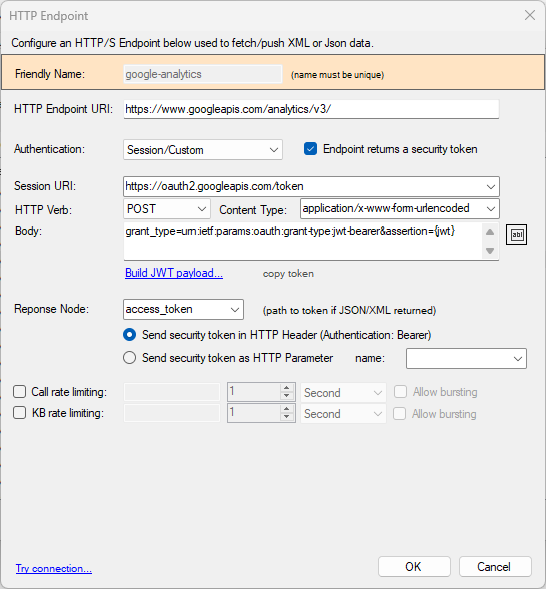
Choose Session/Custom when the service requires a preliminary call to a session or token endpoint, then uses the returned value on later requests. A common pattern is exchanging a signed assertion for an access token.
Session Endpoint
Enter the session endpoint URI and any payload required for POST/PUT calls. When JWT is used on a
self-hosted agent, the payload can include the {jwt} replacement token. For example,
Google Analytics uses:
grant_type=urn:ietf:params:oauth:grant-type:jwt-bearer&assertion={jwt}
Security Token Response
If the session endpoint returns a security token, enable Endpoint returns a security token. Set the Response Node to the JSON or XML path where the token appears, then choose whether to send it as a Bearer Token header or as a named Query Parameter.
JWT Payload Setup (Self-Hosted)
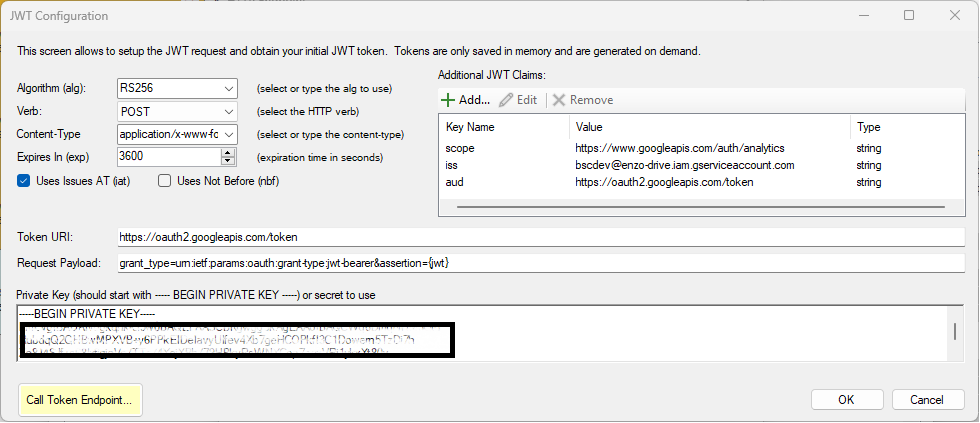
On self-hosted agents, click Build JWT Token... to configure the signed JWT assertion required by the session endpoint, including claims and the private key. The example below shows Google Analytics GA4 settings with custom claims.
Base64 Encoding
When Encode Secret... / Use Base64 Encoding is available and enabled, DataZen Base64-encodes the secret first—for example a password, API key, or token—regardless of which authentication mode is selected. After that optional first encoding, the selected authentication scheme may encode credentials again as required. For Basic authentication, that means the Base64-encoded secret can then be included in the standard Basic Auth credential encoding.
Related HTTP/S Configuration
- AI Endpoint — mark an HTTP/S connection as an AI/LLM endpoint for Portal AI Chat and MCP tool use, including default model, tokens, temperature, loops, and system prompt.
- Rate Limiting — limit call rate or data volume to reduce throttling errors from SaaS endpoints.
- Custom Headers — set default HTTP headers on the connection (overridden by pipeline headers with the same keys).
- OAuth Tokens — use the OAuth wizard to obtain Bearer access tokens and refresh tokens when supported.
- X.509 Certificates for HTTP/S — attach a client certificate to a specific HTTP/S connection. These certificates are stored with the connection itself; they are not managed or listed in the central X.509 certificates screen used for variable encryption or DataZen API authentication.