
HTTP Connection: AI Endpoint
Enable AI Endpoint on an HTTP/S connection when that connection points to an AI or LLM service. This option is available for both cloud and self-hosted agents, in the Web Portal and in DataZen Manager.
When enabled, DataZen treats the connection as an AI/LLM endpoint and uses it with the AI Chat feature in the DataZen Portal. In addition, DataZen pipelines can be exposed as MCP Tools so AI Chat can offer those tools to the LLM during a conversation.
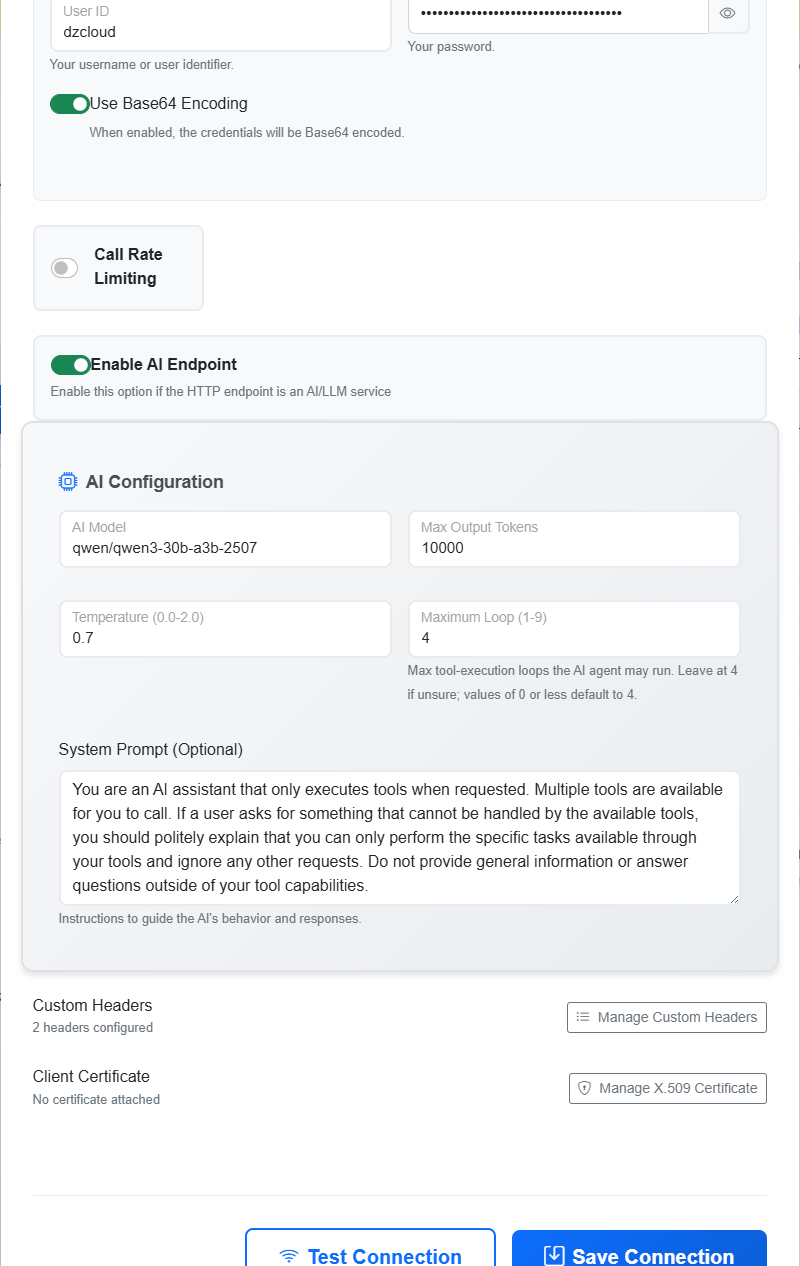
Default AI Settings
The AI Configuration fields define default settings for the connection. Callers can override these defaults when a specific chat session or tool invocation needs different values. Configure:
- AI Model — the model identifier expected by the LLM provider (for example
gpt-4or a provider-specific model name). - Max Output Tokens — the maximum number of tokens the model may generate in a response.
- Temperature — controls response randomness, typically from
0.0to2.0. Lower values produce more deterministic answers; higher values increase variation. - Maximum Loop — the maximum number of tool-execution loops the AI agent may run when calling
MCP Tools (range 1–9). If you are unsure, leave this at
4; values of 0 or less default to 4. - System Prompt — instructions that guide the AI’s behavior and responses. Provide a clear system prompt that defines the assistant’s role, what tools it may use, and any limits you want enforced.
AI Chat and MCP Tools
With an AI Endpoint connection configured, the Portal AI Chat feature can call the LLM using this HTTP/S connection. When Read Pipelines are exposed as MCP Tools, the LLM can invoke those tools during chat to retrieve governed data or perform pipeline actions according to the tool definitions.
To expose pipelines as MCP Tools and declare optional tool parameters, see MCP Tool.
Related Topics
- HTTP/S Connection — authentication modes and shared HTTP/S connection settings.
- Rate Limiting — control call frequency against the LLM or gateway endpoint.
- MCP Tool — expose Reader or Direct pipelines as LLM tools with optional DECLARE parameters.
- AI & Agentic — overview of Pipelines as Tools, API MCP, and AI-Generated SQL CDC.