
Security
DataZen applies security across the Web Portal, DataZen Manager, DataSync agents, connections, and Change Logs. Use this overview to choose the right control for cloud-hosted and self-hosted agents.
Cloud vs Self-Hosted
| Capability | Cloud Agent | Self-Hosted Agent |
|---|---|---|
| Service Tokens (scoped programmatic API access) | Supported (Portal and Manager) | Supported |
| Administrative API Keys | Not available by default; Portal access only when enabled by request | Supported |
| Windows security group access control | Not applicable | Supported |
| IP Firewall for Portal access | Supported (Portal only) | Not available |
| X.509 certificates (encryption / signing) | Supported (Portal and Manager) | Supported (Portal and Manager; local store options in Manager) |
| Agent HTTP API transport | Always SSL | HTTP by default (port 9559); HTTPS when you bind a certificate |
Web Portal
For cloud agents, most day-to-day security settings are managed in the agent Portal under Administration (Service Tokens, IP Firewall, Users) and Configuration → Certificates. DataZen Manager can also manage cloud agents, but the Portal is the primary experience for cloud deployments.
Cloud agent traffic is always SSL encrypted. By default, cloud agents run in a multitenant compute model with a dedicated database for your settings and connection strings. You can optionally use shared storage for Change Logs, or store Change Logs in your own cloud storage. Encrypting and signing Change Logs is recommended for maximum privacy.
Service Tokens
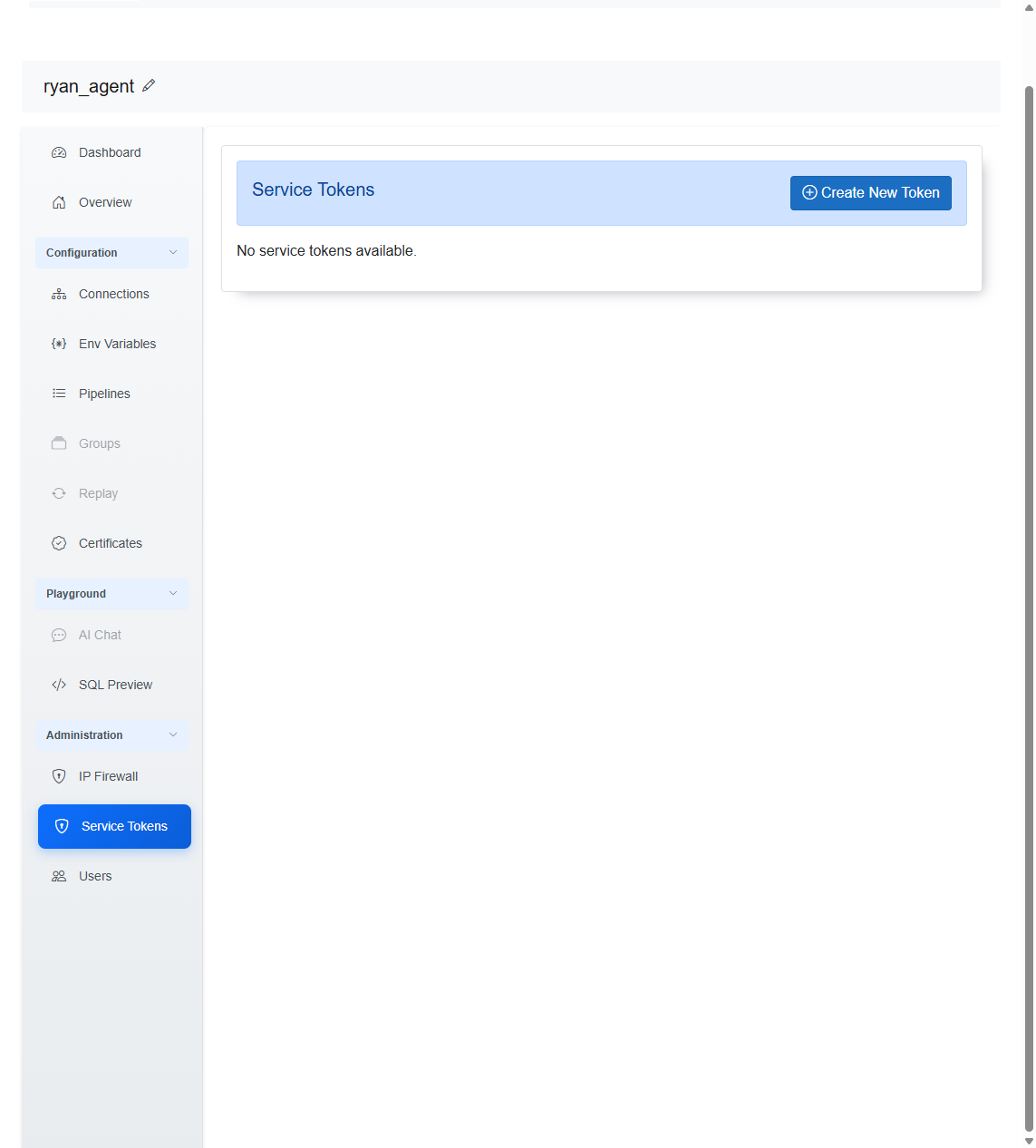
Service Tokens provide scoped programmatic access to the DataZen API and are available for both cloud and self-hosted agents. In the Portal, open Administration → Service Tokens, then choose Create New Token. Provide an optional comment, select one or more scopes, set an expiration date, and save.
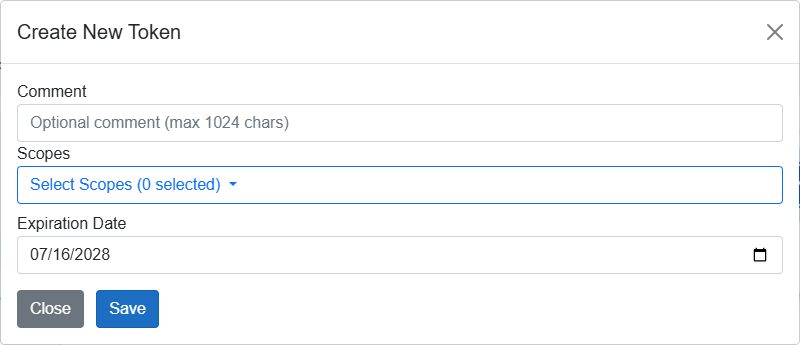
Scopes control which API operations the token can perform (for example agent, job, connections, or security scopes). Prefer the least privilege required for the integration.
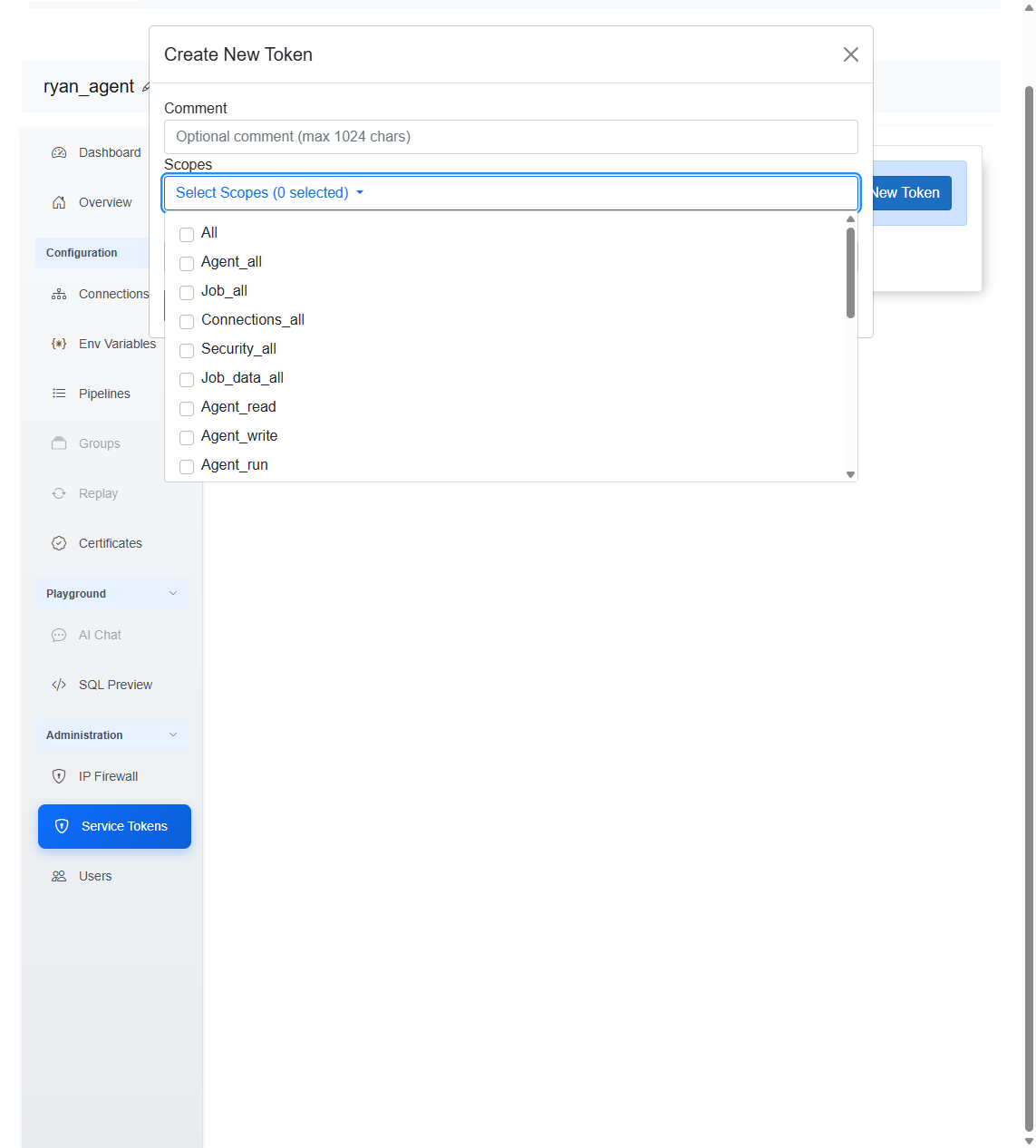
In addition to scopes, a Service Token can be assigned one or more topics. The available topic list is
built dynamically from the topics configured on existing
MCP Tools. Selecting topics for a Service Token limits which
MCP Tools an AI agent can discover and use. A topic value of * (star) means all topics are
allowed, which grants the Service Token access to all MCP Tools.
Administrative API Keys
Administrative API Keys that grant access to the DataZen API are intended for self-hosted agents. They are not part of the standard cloud agent Portal experience. Customers who need these settings in the Portal must request access; when enabled, the Portal can expose the administrative key controls for that tenant.
IP Firewall
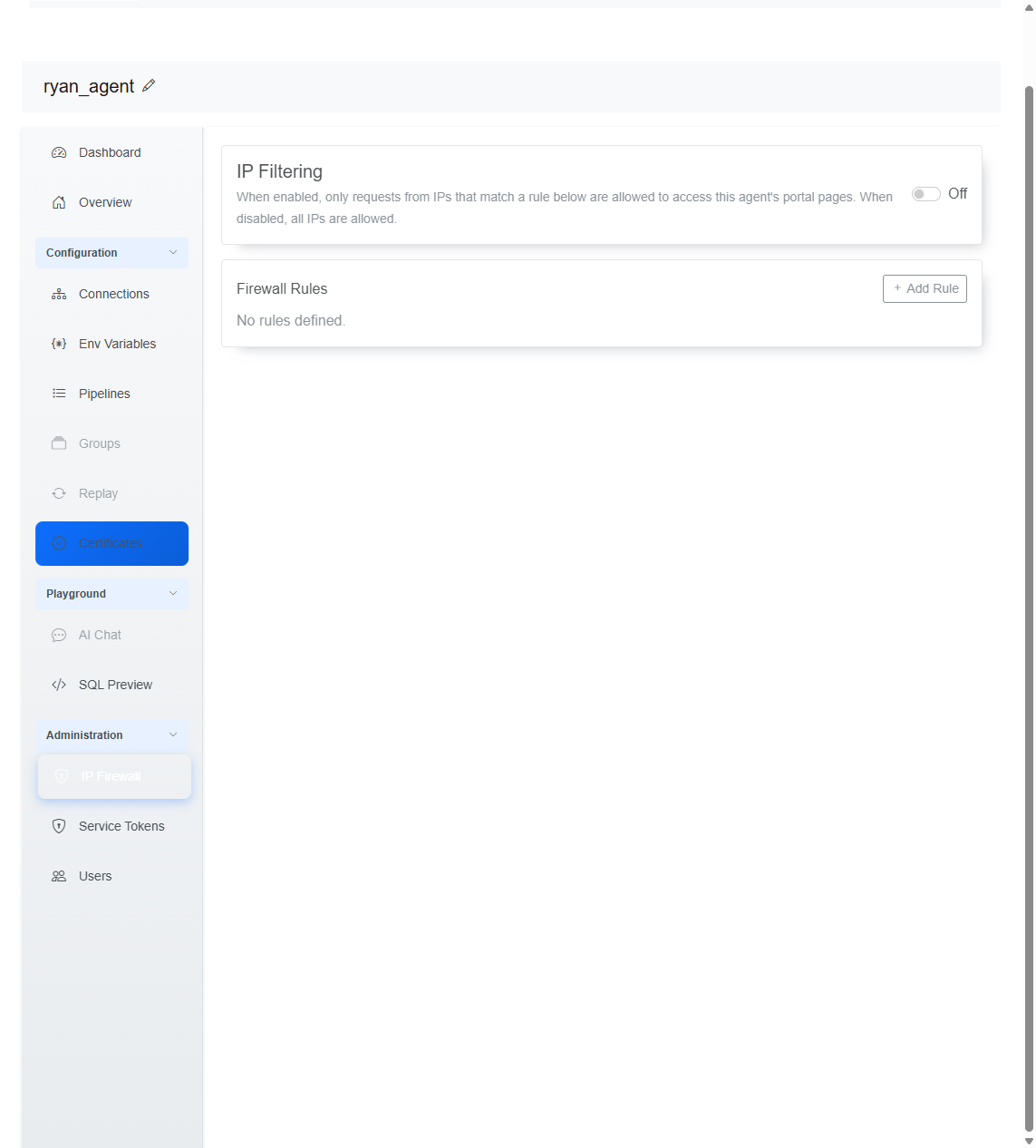
IP Firewall is available for cloud agents only and is configured in the Web Portal under Administration → IP Firewall. Use it to restrict which client IP addresses can reach the agent’s Portal pages. When IP Filtering is off, all IPs are allowed. When enabled, only addresses that match a firewall rule are permitted. Self-hosted agents do not include this feature.
Certificates
Manage encryption and signing certificates from Configuration → Certificates in the Portal. You can create a new certificate, delete selected certificates, or refresh the list. For certificate usage details, see X.509 Certificates.
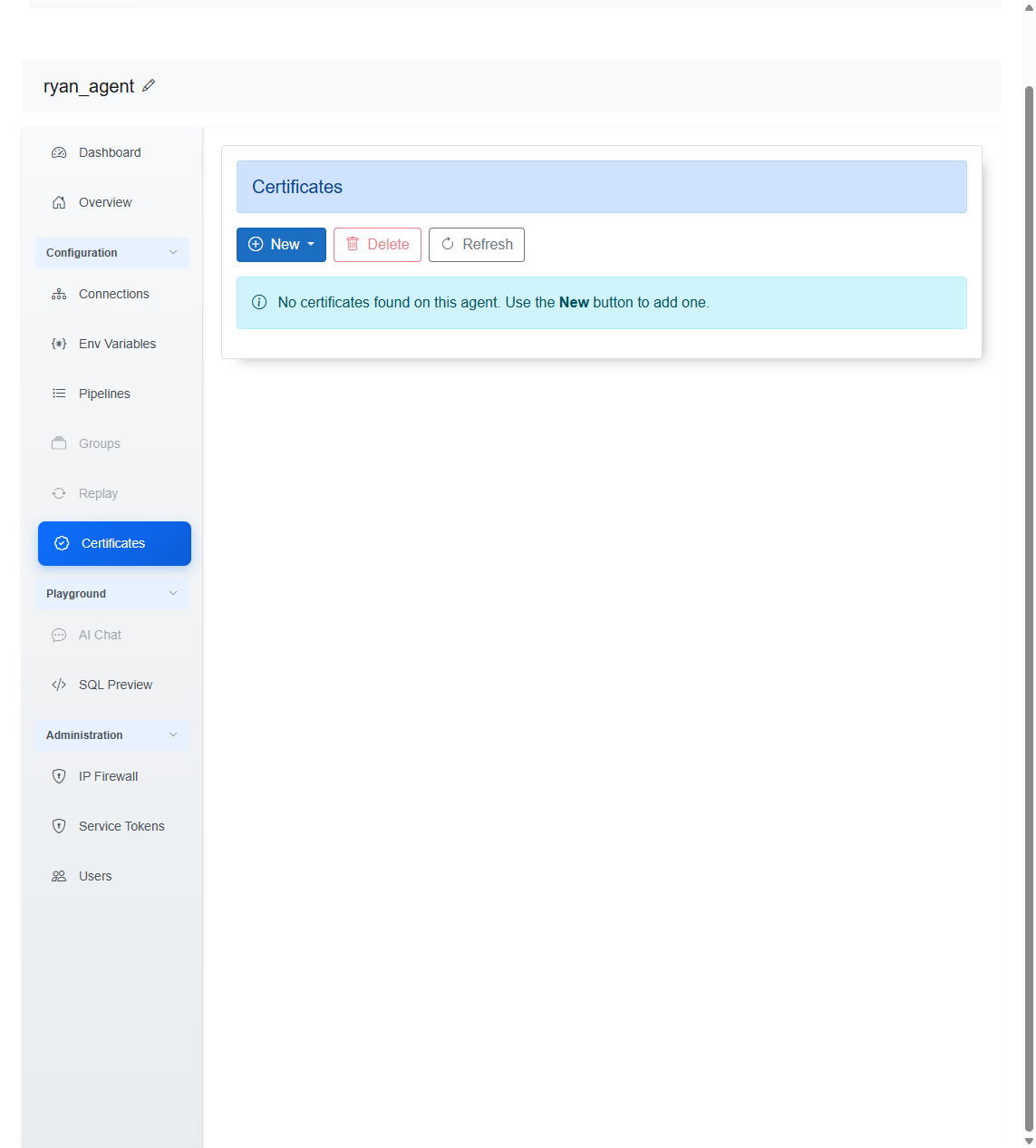
HTTP/S connection client certificates are stored with the connection itself and are not listed on this central Certificates screen. See X.509 Certificates for HTTP/S.
DataZen Manager and Self-Hosted Agents
DataZen Manager does not store sensitive data locally, but it displays and sends credentials and security settings to agents. Manager communicates with an agent through the DataZen HTTP API. Cloud agents always use SSL. Self-hosted agents listen on port 9559 by default; you can change the port and bind an SSL certificate (for example on 443) to encrypt administrative traffic. Even without SSL, connection strings are transferred encrypted by DataZen.
Authentication and Security Groups
DataZen Manager uses the local Windows sign-on for the workstation. After you register a DataSync Agent, access to that agent requires authorization. Choose Configuration → Agent Settings to manage security groups for the selected agent.
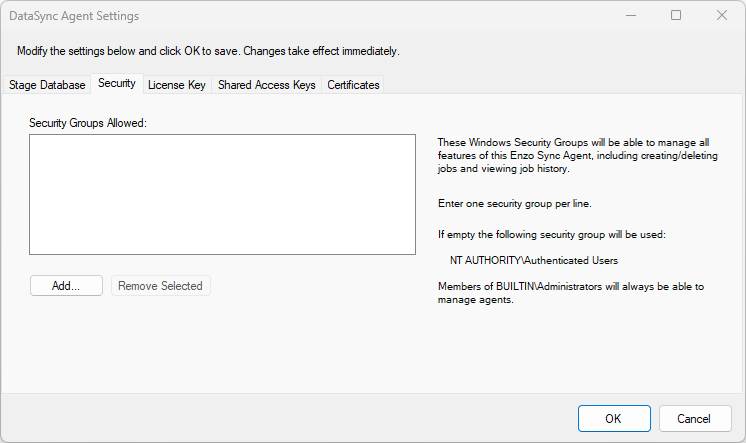
BUILTIN\Administrators can always access a DataSync Agent on Windows when
both the agent and Manager run locally. Remote administration requires additional configuration.
Add Windows security groups on this screen. Users in the listed groups can fully manage the selected agent.
Administrative Access Keys (Self-Hosted)
Administrative Shared Keys are disabled by default. When enabled on a self-hosted agent, you can choose an access level and optionally create scope-based service-specific keys with an expiration date.
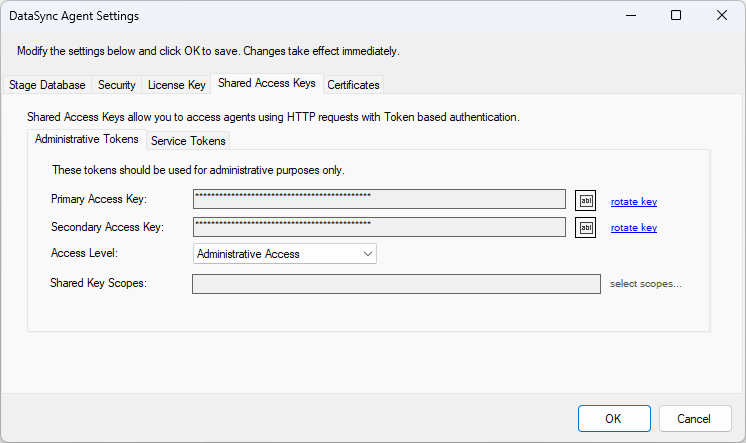
Access levels
- None — admin keys cannot be used for authentication
- Administrative — full DataZen API access (equivalent to the
allscope) - Agent API — full Agent API access (equivalent to
agent_all) - Jobs API — Jobs API access (equivalent to
job_all,connections_all,security_all) - Scope-Based — access limited to the selected scopes
These keys can authenticate DataZen Manager or programmatic clients such as Postman. See the Agent API 3.0 specification.
Service Access Keys in Manager
Service Tokens can also be managed in DataZen Manager on the Service Tokens tab. Choose an expiration date and at least one scope. This is the same Service Token model available in the Portal for both agent types.
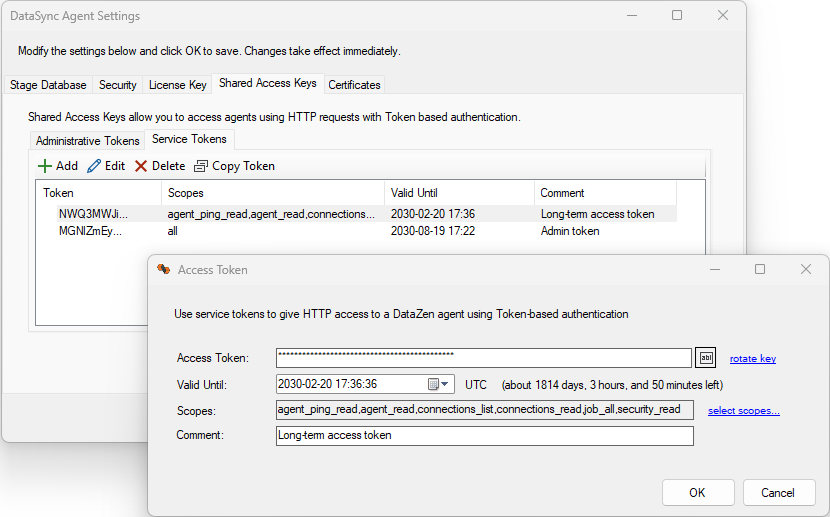
Prefer Service Tokens for integrations and monitoring applications. Reserve Administrative Access Keys for self-hosted scenarios that specifically require those access levels.
X.509 Certificates in Manager
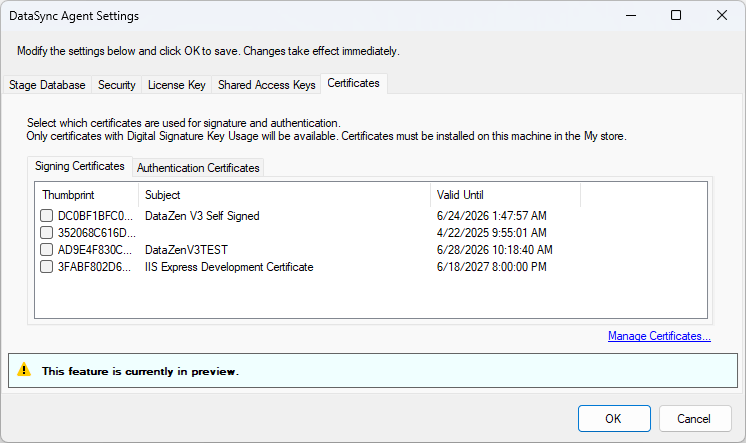
Configure certificates for signature and authentication on this tab. Certificates must first be registered with Manage Certificates. See X.509 Certificates.
Self-Hosted SSL Encryption
Unless configured otherwise, self-hosted agents listen on HTTP port 9559 without TLS. To secure administrative traffic, install an SSL certificate and bind it to the listening port.
To bind EnzoDS.exe to port 443, update appSettings in
EnzoDS.exe.Config:
<add key="listenerPort" value="443" />
<add key="listenerUrl" value="https://SERVERNAME" />
The following high-level steps create a self-signed certificate for test environments. For production, use a public Certificate Authority.
-
Create a CA certificate:
makecert -n "CN=datazen" -r -sv datazen.pvk datazen.cer
Add the certificate to Trusted Root Certification Authorities. -
Create an SSL certificate (replace
YOURSERVERNAME):makecert -sk DataZenSSL -iv datazen.pvk -n "CN=YOURSERVERNAME" -ic datazen.cer datazenssl2.cer -sr localmachine -ss My
-
Copy the certificate thumbprint from the Personal certificate store, then bind SSL to port 443:
netsh http add sslcert ipport=0.0.0.0:443 certhash=THUMBPRINT appid={0abc7514-3558-4142-b81b-79149673bf57} certstorename=MY usagecheck=disable
netsh http add sslcert ipport=[::]:443 certhash=THUMBPRINT appid={0abc7514-3558-4142-b81b-79149673bf57} certstorename=MY usagecheck=disable
You can then start the agent at https://SERVERNAME on port 443 and connect with DataZen Manager.
Auditing
DataZen stores API activity in the database. Job execution summaries are in jobexecutions;
execution details are in executionauditlog. You can also log activity to disk during testing by
adding this setting to EnzoDS.exe.Config (not recommended for production performance):
<add key="logFile" value="c:\tmp\enzodslog.txt" />
Access Token Scopes
The following summary lists DataZen API endpoints and the scopes required for access. Endpoints may support GET, PUT, POST, and DELETE. See the DataZen API documentation for details.
Agent Scopes
| Endpoint | Scopes |
|---|---|
/ping | all, agent_all, agent.read |
/start | all, agent_all, agent.run |
/status | all, agent_all, agent.read |
/stop | all, agent_all, agent.run |
/version | all, agent_all, agent.read |
Job Scopes
| Endpoint | Scopes |
|---|---|
/certificates | all, security_all, security.read, security.write |
/changelog/read | all, job_all, job.data, job.data.read |
/changelog/write | all, job_all, job.data, job.data.write |
/connections | all, connections_all, connections.read, connections.write |
/connections/db | all, connections_all, connections.write |
/connections/metadata | all, connections_all, connections.list |
/connectionsinfo | all, connections_all, connections.read |
/directory/exists | all, job_all, job.read |
/directory/files | all, job_all, job.read |
/job | all, job_all, job.write |
/job/active | all, job_all, job.run |
/job/changelog | all, job_all, job.data, job.data.read |
/job/changelog/read | all, job_all, job.data, job.data.read |
/job/changelogs | all, job_all, job.list |
/job/history | all, job_all, job.read |
/job/lastexecid | all, job_all, job.read, job.run |
/job/log | all, job_all, job.read |
/job/output | all, job_all, job.read |
/job/push | all, job_all, job.data, job.data.write |
/job/settspointer | all, job_all, job.run |
/job/start | all, job_all, job.run |
/job/status | all, job_all, job.read |
/job/stop | all, job_all, job.run |
/jobs | all, job_all, job.list |
/jobs/info | all, job_all, job.list |
/jobs/summary | all, job_all, job.list |
/mcp | all, mcp_all |
/mcp/call | all, mcp_all |
/mcp/tools | all, mcp_all |
/refreshtoken | all, job_all, job.run |
/sql/preview | all, job_all, job_read, job_run |
/sql/run | all, job_all, job_read, job_run |
/updatekek | all, security_all, security.write |
/variable | all, security_all, security_read, security_write, job_all, job_read, job_write |
/variables | all, security_all, security_read, job_all, job_read |
Related Security Topics
- Authentication
- Environment Variables — agent-level values that can optionally be encrypted with X.509 certificates
- X.509 Certificates