
Environment Variables
Environment variables store named values on an agent so pipelines can reuse configuration and secrets without
hard-coding them. Values can optionally be encrypted with an X.509 certificate. You access them with the
DataZen functions #getvar() and #setvar() anywhere DataZen functions are supported,
including HTTP payloads, SQL blocks, URLs, and IF conditions.
How Environment Variables Differ from Runtime Variables
Environment variables are agent-level settings you create and manage. Job runtime variables
(for example @executionid or @highwatermark) are created automatically while a
job runs. For runtime variables and script-level DECLARE / parameter patterns, see
Job Runtime Variables.
Managing Environment Variables
Environment variables are available for both cloud and self-hosted agents.
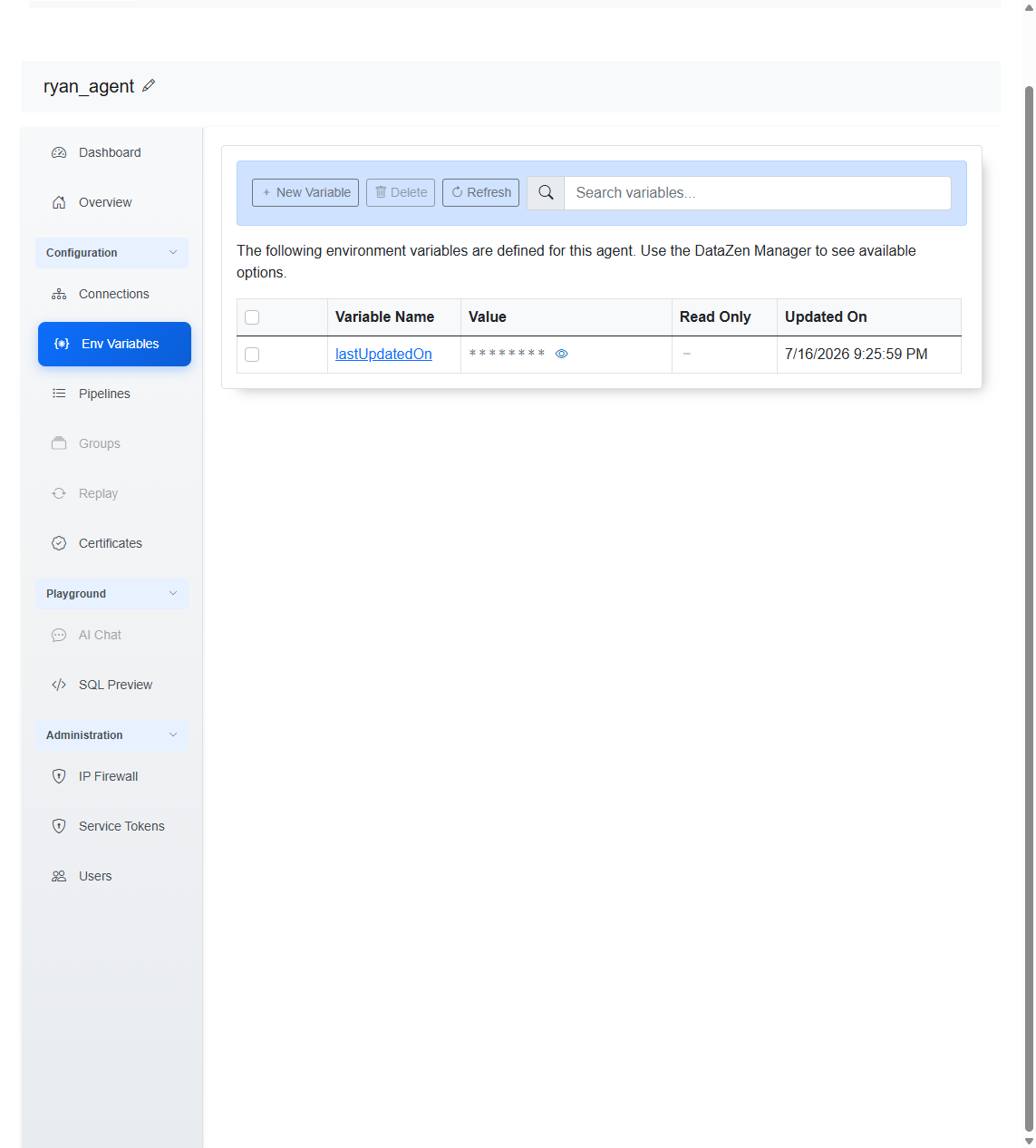
- Web Portal — open the agent, then choose Configuration → Env Variables. Create, delete, refresh, and search variables from this screen.
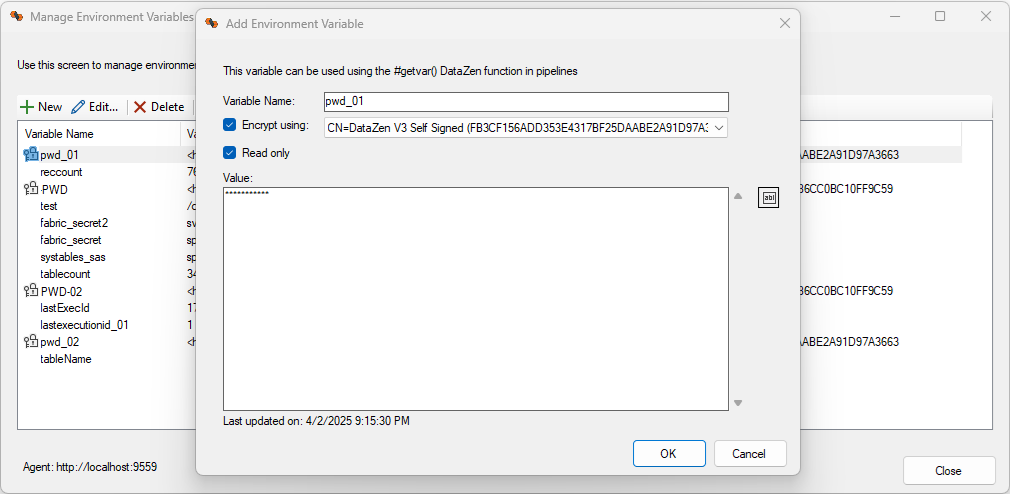
- DataZen Manager — choose Configuration → Security → Manage Environment Variables... for the full set of management options, including encryption settings.
Using Variables in Pipelines and Scripts
Read a value with #getvar(name). Write or create a value with #setvar(name, value)
when the variable is not read-only.
#getvar(lastUpdatedOn)
In SQL CDC scripts, you can load an environment variable into a script variable for easier reuse. For
example, with an environment variable named lastUpdatedOn:
DECLARE @lastUpdatedOn = '#getvar(lastUpdatedOn)';
-- use @lastUpdatedOn elsewhere in the script
-- SET @lastUpdatedOn also updates the lastUpdatedOn environment variable when names match
For DECLARE / parameter patterns, SET behavior when names match, and related script details, see Job Runtime Variables and DECLARE PARAM.
Read-Only Variables
Mark a variable as read-only when pipelines should consume it but must not change it. When a variable is read-only:
- The SQL CDC
SEToperation that would update that environment variable fails - The
#setvar()function fails
Use read-only for shared configuration or secrets that should only be changed through the Portal or Manager.
Encryption
You can encrypt environment variable values with an X.509 certificate. Encrypted values are decrypted
automatically at runtime when pipelines resolve #getvar().
Example: Secrets in an HTTP Payload
Store API credentials as environment variables and reference them in an HTTP payload. If the values are encrypted, DataZen decrypts them when the job runs:
Specifying secrets in payloads or URLs should be considered unsafe, even if the variable is encrypted. During preview operations and if Logging is enabled on a pipeline at runtime, these secrets will become visible and may be part of log tables.
<?xml version="1.0" encoding="UTF-8" ?>
<request>
  <control>
    <senderid>#getvar(sagesenderid)</senderid>
    <password>#getvar(sagesenderpwd)</password>
    <controlid>test</controlid>
    <uniqueid>false</uniqueid>
    <dtdversion>3.0</dtdversion>
    <includewhitespace>false</includewhitespace>
  </control>
  <operation>
    <authentication>
      <login>
        <userid>#getvar(sageuid)</userid>
        <companyid>#getvar(sagecompany)</companyid>
        <password>#getvar(sagepwd)</password>
      </login>
    </authentication>
  </operation>
</request>
Related Topics
- Job Runtime Variables — automatic job variables and script DECLARE / parameter usage
- DataZen Functions —
#getvar()and#setvar() - X.509 Certificates — encrypting variable values